The Shell Switch

The Shell Switch: Setting Your Native Tongue The Veil When you open a terminal in VS Code, is it PowerShell blue? That default shell was chosen for you, not by you. The AI that’s helping you code assumes Bash. If your terminal doesn’t match, you’re not building. You’re translating. The Dross The AI speaks Bash. Every path it gives you, every command it suggests, every script it writes – Bash. When your terminal is PowerShell, every / becomes a \ you have to fix by hand. You’re spending mental energy on translation instead of on the problem. ...

May 12, 2026 · 1 min · Jamal Hansen

The VS Code Terminal Shortcut

The Veil Every time you move your hand to the mouse to find a terminal, you’re losing the race against your own AI. I was clicking through the View menu for months before I found this. VS Code has a terminal built in, and you can summon it without touching the mouse. The Dross Vibe-coding is high-frequency work. You’re jumping between the code the AI gave you and the terminal where you need to run it. If that jump takes three clicks, you’ll stop doing it. You’ll start “guessing” if the code works instead of “knowing.” ...

April 28, 2026 · 2 min · Jamal Hansen
How to custom style your VS Code markdown preview

How to custom style your VS Code markdown preview

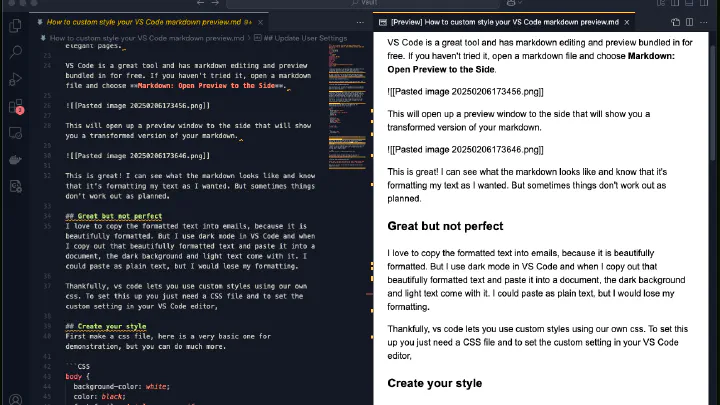
I like writing notes. I like writing them in markdown. There is something wonderful about the power and simplicity of markdown formatting to transform my readable text files into elegant pages. VS Code is a great tool and has markdown editing and preview bundled in for free. If you haven’t tried it, open a Markdown file and choose Markdown: Open Preview to the Side. This will open up a preview window to the side that will show you a transformed version of your markdown. ...

February 6, 2025 · 3 min · Jamal Hansen