You have been taking notes for a month. Thirty, maybe fifty notes. You remember writing something about how Python handles default arguments. You cannot find it.
You search for “default arguments.” Nothing useful comes up; you might even get most of your notes returned. You search “mutable defaults.” Three notes come up. None of them is the one you want. You scan the file list. You find it eventually, only because you remember writing it the same day you were reading about closures, and you find the closures note first.
That is not a search problem. That is a metadata problem.
The notes are there. The content is good. There is just no way in except the title.
What frontmatter is
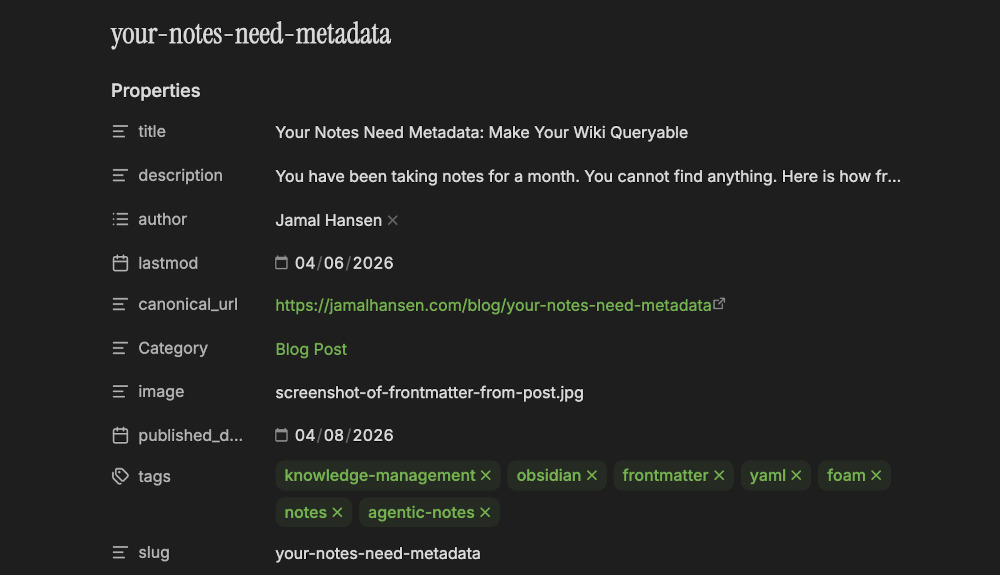
Every note in your wiki is a Markdown file. Frontmatter is a YAML block at the top of that file that describes the note as structured data your tools can read and query.
If you write Python, think of it as a dict attached to the file header. The keys are field names, the values are whatever you want to store. Your writing ignores it; your tools read it.
Without frontmatter, your note looks like this:
# closures capture the enclosing scope, not the current value

In Python, a closure captures the variable itself, not its value at creation time.
If the variable changes after the closure is created, the closure sees the new value.
That is why this is related to [[late binding in python]] and [[variable scoping]].
With frontmatter, it looks like this:
---
created: 2026-04-01
tags:
- python
- closures
- scoping
status: active
domain: engineering
---

# closures capture the enclosing scope, not the current value

In Python, a closure captures the variable itself, not its value at creation time.
If the variable changes after the closure is created, the closure sees the new value.
That is why this is related to [[late binding in python]] and [[variable scoping]].
The note is unchanged. You added a few lines to the top of the file, and now it is queryable. Obsidian can filter it. VS Code can search it. An LLM can filter to only the notes you still trust, and skip the ones you have already marked wrong.
The minimum viable set
Don’t add twelve fields because they seem useful. You won’t fill them consistently, and inconsistent metadata is worse than no metadata. If some notes have a source field and others don’t, you cannot query by source. You just have noise.
Four fields. That is it.
created is the date you wrote the note. This matters more than you think. “I wrote this in January” is often where a search starts. It also tells you things about yourself. Three weeks of notes clustered around one topic means something.
tags are one to three keywords. Not a full taxonomy. Not a filing system. Just the words you would type into a search bar in six months. For a note about Python closures: [python, closures, scoping]. Three is usually enough. One is fine.
status tracks where the note is in its life. I use three values. seed means I wrote it but I am not fully confident it is right yet. active means I trust it and I reference it. archived means something newer superseded it and this note is mostly wrong now. Before you paste something from a note into production code, you want to know whether you still believe it.
domain is the area of your work. For me: engineering, writing, tools, strategy. Pick four that match what you actually do, not what you aspire to do.
What you can do with it
In Obsidian, the Dataview plugin reads your frontmatter and lets you query it. This shows every active engineering note, sorted by date:
TABLE created, tags
FROM ""
WHERE status = "active" AND domain = "engineering"
SORT created DESC
Every time you add a note with the right frontmatter, it shows up in that table automatically. Archive something outdated and it disappears.
Obsidian Bases does the same thing without writing a query. You configure filters through a UI instead. Either works. Dataview just makes the logic visible.
If you are in VS Code, use Cmd+Shift+F (Ctrl+Shift+F on Windows) and search for status: active. You get every matching note with the file path and surrounding context. Less visual than a table, but fast.
The tool matters less than the consistency. If every note has the same four fields in the same format, any tool can use them.
One thing to watch
The temptation when you first learn about frontmatter is to spend an afternoon tagging all your existing notes at once. Don’t do this. You will spend the whole afternoon and write nothing new.
Add it going forward. When you create a note, add the four fields. When you revise an old note and it is worth revising, add them then. You will have full coverage within a few weeks and you will not have lost a day to retroactive filing.
Why this matters for the LLM
Right now, frontmatter helps you find notes. That is reason enough to add it.
But the real payoff is what happens when you hand your wiki to something that never gets tired of reading it.
When you give an LLM access to your notes, it reads every file. Without frontmatter, it treats a note you wrote this morning the same as one you marked wrong two months ago. With status, you can tell it: only reference notes where status is active. With domain, you can scope what it looks at before it starts. Without those fields, you are asking it to reason over a pile of undated, unordered text.
The four fields you are adding now are not extra work. They are the scaffolding for that system.
Try It Yourself
Open the last five notes you wrote. Add the four fields to each one. Use values that match when you actually wrote them.
Don’t clean up the note body while you are in there. Frontmatter only, then close the file. Time yourself. It should take under ten minutes. That is the baseline.
Add the four fields to five notes today. I want to hear if it changes how you use your wiki.
More info
Tools
- Arscontexta — a Claude Code plugin that connects to your agentic markdown notes. It turns your notes into context for the next conversation, and your conversations into notes.
- Obsidian Bases — the official documentation for Bases, Obsidian’s built-in table and query view for filtering notes by frontmatter properties, and an alternative to the DataView plugin.
- Front Matter CMS — a VS Code extension that gives you a content management panel for editing YAML frontmatter without touching the raw text.
Further reading
- An Introduction to Obsidian Properties — Tim Miller’s beginner walkthrough of properties and YAML frontmatter in Obsidian.
- Your Notes Are the Moat — Cornelius’s March 2026 field report on what happens when an agent takes over the maintenance.
