How do you run a local LLM from a Python script? Install Ollama, pull a model, install uv, write one file with inline dependencies, and run it. No API key. No virtual environment to activate. No Docker. The whole setup takes under ten minutes.
Why run local
Three reasons: cost, privacy, and offline access.
Frontier APIs charge per token. For experimentation, prototyping, and batch tasks, those costs add up before you have anything to show. A local model costs nothing per call.
Your data does not leave your machine. For notes, drafts, and anything you would not paste into a public chat, that matters.
And the model works when you are on a plane, in a basement, or anywhere without reliable internet.
Install Ollama
Ollama runs models locally and exposes a simple API your Python code can call. It works on Mac, Windows, and Linux.
Install it at ollama.com/download and follow the instructions for your platform.
Pull a model
Once Ollama is running, pull a model from your terminal:
ollama pull llama3.2:3b
llama3.2:3b is about 2GB and runs on most laptops. It is a reasonable starting point.
Models range from under 1GB to 70B+. Smaller models are faster but struggle with complex reasoning. Larger models produce better output but need substantially more RAM. A 70B model needs 40GB or more. Ollama’s model library at ollama.com/library lets you filter by size and see what fits your machine. Check before pulling something large.
Install uv
uv is a Python package and project manager. It is my favorite tool for Python work.
Install it from docs.astral.sh/uv. The page has one-line commands for Mac, Windows, and Linux.
Run a script
This is where it comes together. You do not need a project directory or an active virtual environment. You can write a single file with its dependencies declared inline.
This is PEP 723, inline script metadata. Add a # /// script block at the top of any Python file and uv reads it before running. It installs the listed dependencies into a temporary environment automatically.
Create a file called ask.py:
# /// script
# requires-python = ">=3.11"
# dependencies = [
#     "ollama",
# ]
# ///

import ollama

response = ollama.chat(
    model="llama3.2:3b",
    messages=[{"role": "user", "content": "What is the difference between a list and a tuple in Python?"}]
)

print(response['message']['content'])
Run it:
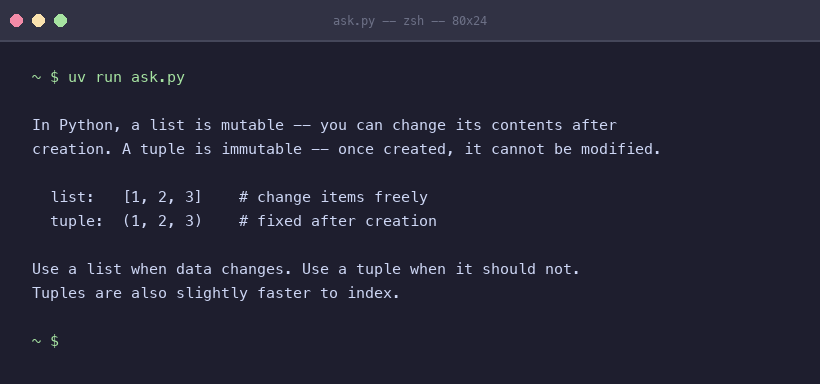
uv run ask.py
uv reads the dependency block, installs ollama into a temporary environment, and runs the script. The first run takes a few seconds while it sets up. Subsequent runs are fast.
You should see the model’s response in your terminal. That is a local LLM answering a Python question with no API key and no activated environment.
Try It Yourself
Pull llama3.2:3b and run the script above. Then change the prompt to something from your actual work. See how it handles it.
If llama3.2:3b is too slow on your machine, try something smaller from ollama.com/library. If you want better output and have the RAM to spare, pull a larger variant.
The patterns I write about in this series use this exact setup. Getting it running now means you can run every code example as you read it.
Appendix: Building a full project
The single-file method works well for exploration and one-off scripts. When a script grows into something you will maintain, test, or share, use uv init instead.
uv init my-ai-project
cd my-ai-project
uv add ollama
This creates a pyproject.toml, a uv.lock, and a managed virtual environment. You add dependencies with uv add and run code with uv run. Dependencies are tracked in pyproject.toml instead of the script header.
The ollama calls are identical either way. Use the single-file approach when you are exploring. Switch to uv init when the project deserves to outlive a single session.
More info
Tools
- Ollama – run large language models locally on Mac, Windows, and Linux
- uv – a fast Python package and project manager
- Ollama Python library – the official Python client for the Ollama API
- Ollama model library – browse and filter available models by size and capability
Further reading
- PEP 723 – Inline Script Metadata – the specification that defines the
# /// scriptblock format used in this post - uv documentation – full reference for uv commands, project management, and configuration
